
documentation:software:hermes
Table of Contents
HERMES
Introduction
Hermes is a web based tool that allows you to search and explore the current CDM Vocabulary database.
Overview
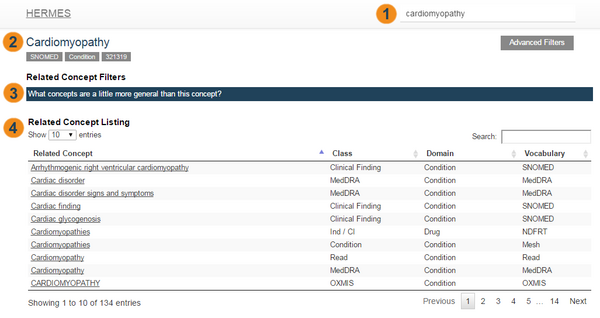
- Search Box : Enter your search string here by clicking on the text box and typing or simply typing while your web browser window is selected.
- Current Concept Name : Once you select a concept the name of the concept will appear here.
- Related Concept Filters : A set of configurable options that provide user friendly prompts that set custom advanced filters to limit the concepts appearing in the related concept listing.
- Related Concept Listing : A table containing concepts related to the current concept. This list can be filtered using concept filters, advanced filters or the addition search box on the table itself.
Installation and support
All source code and installation instructions available on Github: https://github.com/OHDSI/HERMES
Any bugs/issues/enhancements should be posted to the Github repository: https://github.com/OHDSI/HERMES/issues
Any questions/comments/feedback/discussion about HERMES can be posted on the OHDSI Developer Forum: http://forums.ohdsi.org/c/developers
Screenshots
In this section you will find screenshots of various features in Hermes.
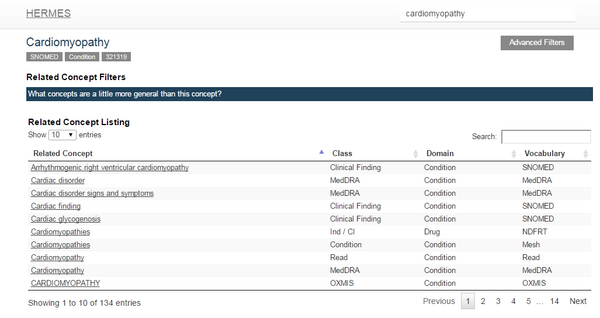
View a Concept
documentation/software/hermes.txt · Last modified: by frank_defalco